
Introduction:
Redundancy is one of the most important factors to consider when designing network connectivity. Oracle always recommends using redundancy, hence Oracle customers often choose to have redundant FastConnect connections while connecting from on premises to OCI. To ensure complete redundancy with this design, it is always recommended to have diversity using different Providers or physical links for the FastConnect connections, to eliminate single point of failure.
Oracle recently introduced a feature that displays logical and/or physical device for your virtual circuit or cross-connect links. This information will help customers to diversify their FastConnect connections.
The purpose of this blog is to focus on the physical diversity posture of OCI and how to take advantage of it to ensure physical diversity.
Oracle Data Center Topology: 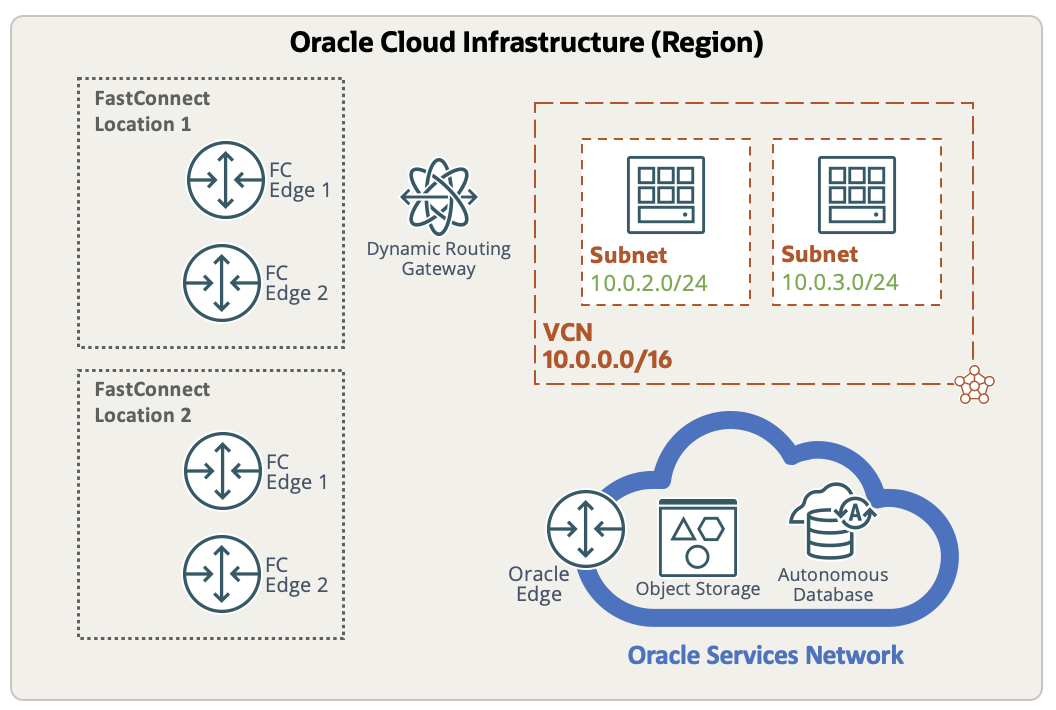
The diagram above shows typical OCI physical topology. OCI region is a geographical location (e.g., Ashburn, Phoenix) consisting of one or more data centers. Oracle FastConnect location is a data center where you can connect to OCI when using FastConnect. There are two FastConnect locations shown in the diagram but the number of FastConnect locations vary depending on the region. For example, Phoenix has 4, Amsterdam has 2 whereas Sydney has only 1 FastConnect PoP (Point of Presence). However, there are always two physical edge routers in each of the location for redundancy as shown. You connect your cross connects/virtual circuits to these edge routers. Dynamic Routing Gateway (DRG) is OCI’s logical gateway (remote connections are spread over different physical devices) to which you can attach VCNs, VPN tunnels or virtual circuits.
Let us see how to ensure diversity with this architecture in the next section.
Achieving physical diversity:
Cross connects (FastConnect with third party provider/colocation):
Consider that you have already provisioned a cross-connect and want to create another one for redundancy.
If you are using a region where there are more than one FastConnect locations, you can select a different physical location than the initial cross-connect in the following manner:
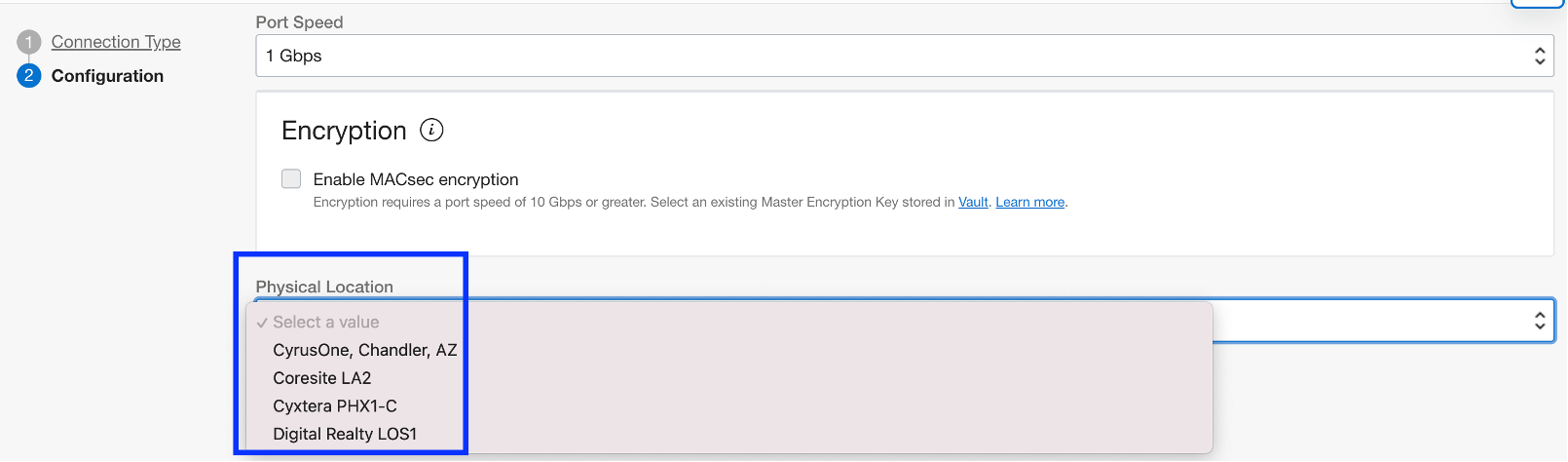
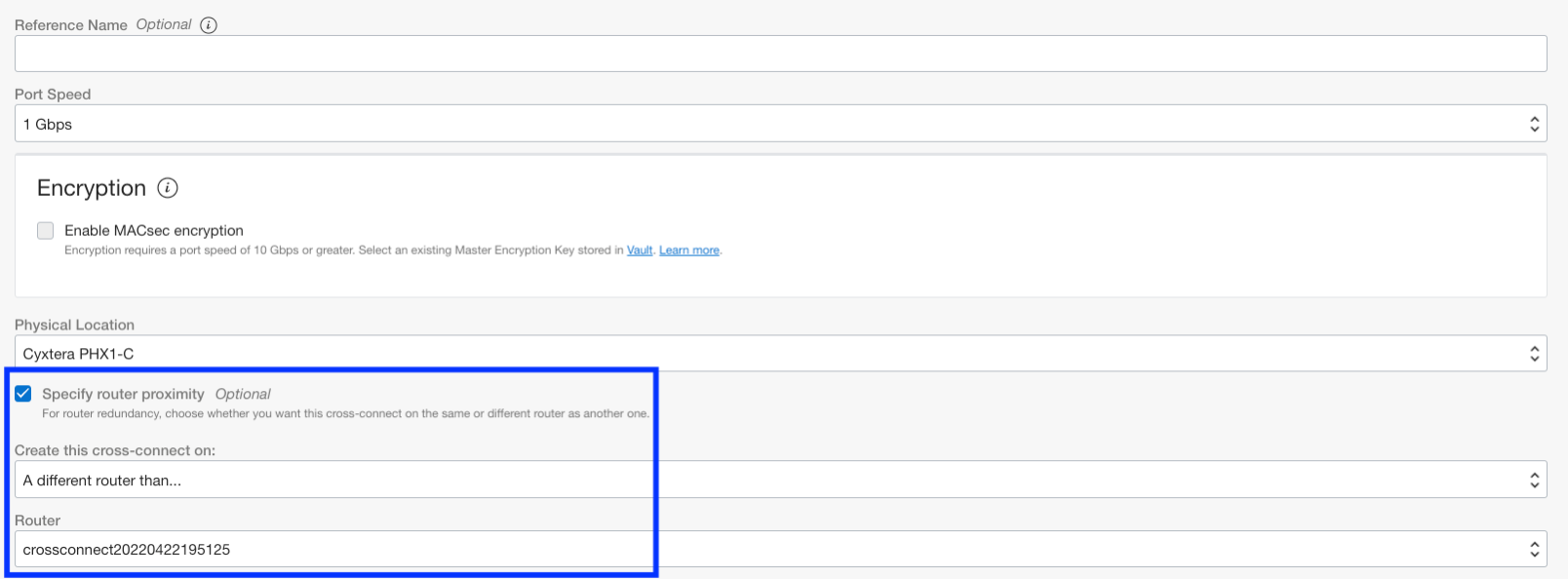
Now, if you are using a region where there is only one FastConnect location, you have an option to terminate your second cross connect on a different router.
Check the box for ‘Specify router proximity’, select ‘different router than’ as shown and then select the initial cross connect from the drop down:
Virtual Circuit (FastConnect with Oracle Partner):
If you are using FastConnect with Oracle Partner connectivity model and provisioning a redundant virtual circuit, you do not have an option to choose a different router on OCI’s side. In this case, customers can choose a different PoP than the first virtual circuit at the partner’s side. You can still see Logical Device information which you can use for this purpose.
NOTE: This blog only focuses on the OCI’s side of diversity. To achieve complete diversity, consider following for your FastConnect connections:
- Different Oracle partners/third party providers
- If using same provider, confirm with the provider that they are using diverse cable paths and routing for your circuits.
- Different on premises gateways placed at different locations with diverse cable routing
For best practices in FastConnect design, read this blog.
Viewing Physical/Logical devices on the console:
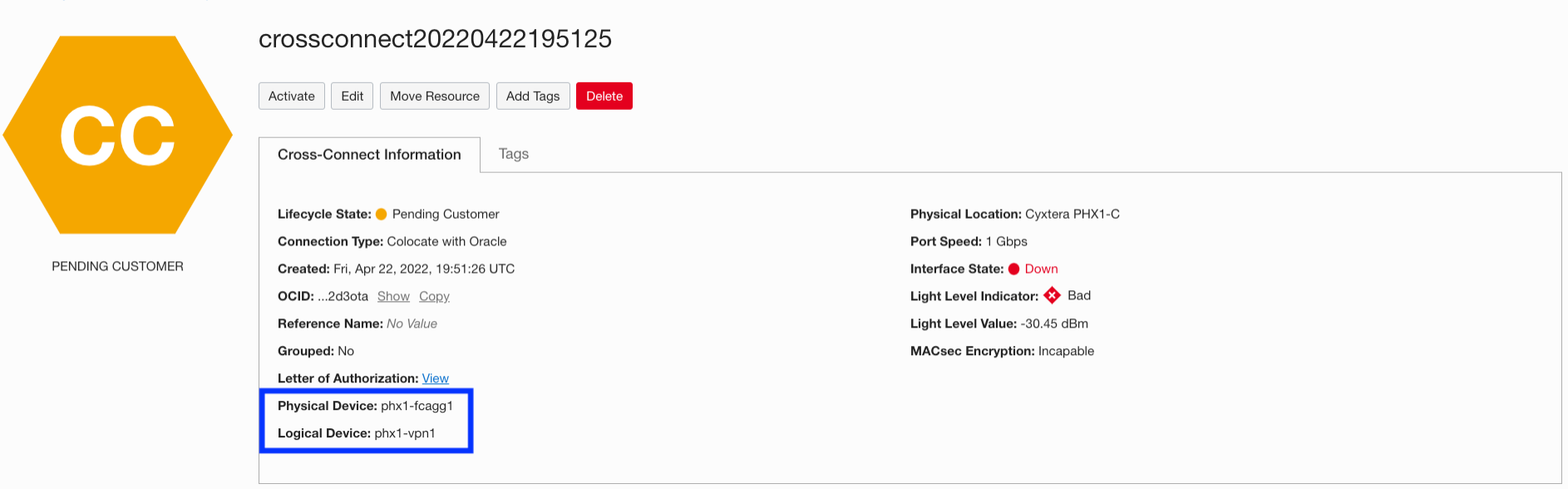
Physical Device is an aggregation switch whereas Logical Device is a router the connection terminates on.
Cross connects (FastConnect with third party provider/colocation):
You can get the required details under cross connection information:
Virtual Circuit (FastConnect with Oracle Partner):
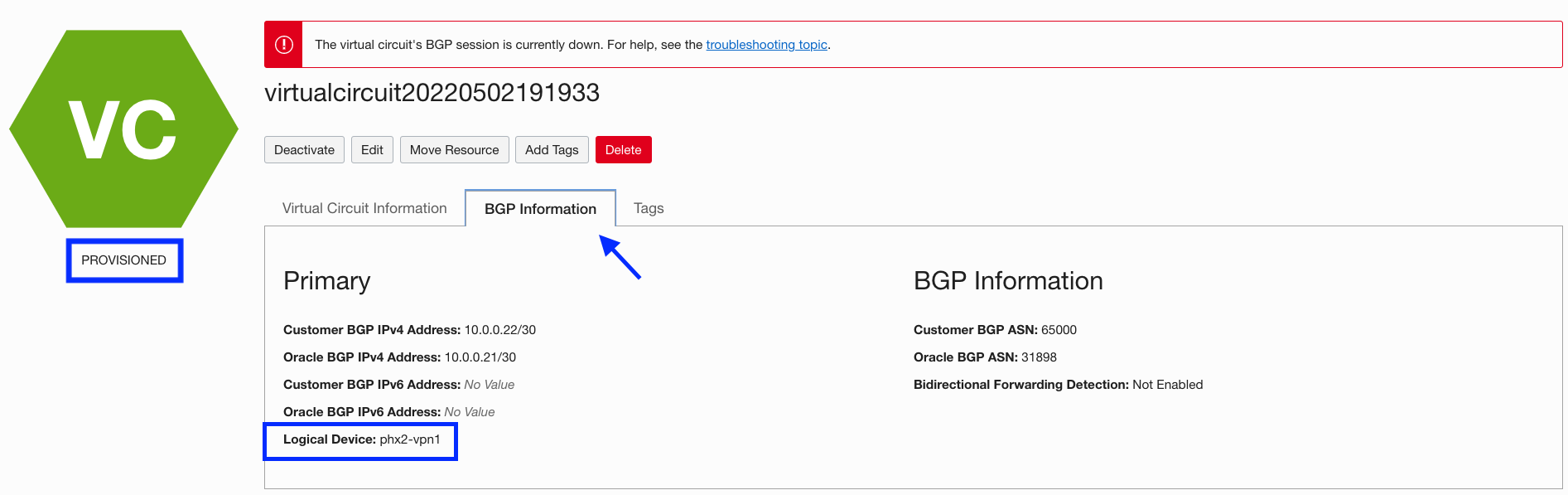
For FastConnect with the Oracle partner option, you can only see logical device information. Also, the information is available only if the Oracle partner is a layer 2 provider (BGP session is established directly from customer to OCI).
Once Oracle partner completes the configuration on their side and virtual circuit state changes to ‘Provisioned’, you will be able to see the logical device name under BGP Information:
Conclusion:
In this blog, we demonstrated how to achieve physical diversity in terms of different physical locations and edge routers on OCI’s side. We also saw how to view physical/logical device information of FastConnect connections. Customers can utilize this information to have redundancy in their network design.