
OCI Load Balancer makes building a TLS secured HA solution for your web applications quite simple. I have had written quite a few blog posts on this topic in the past few years. The classic case is where the client initiates a TLS connection and the server (load balancer) responds, commencing in a TLS handshake, which results in the establishment of a secured communication channel between the two. Following is the classic case:
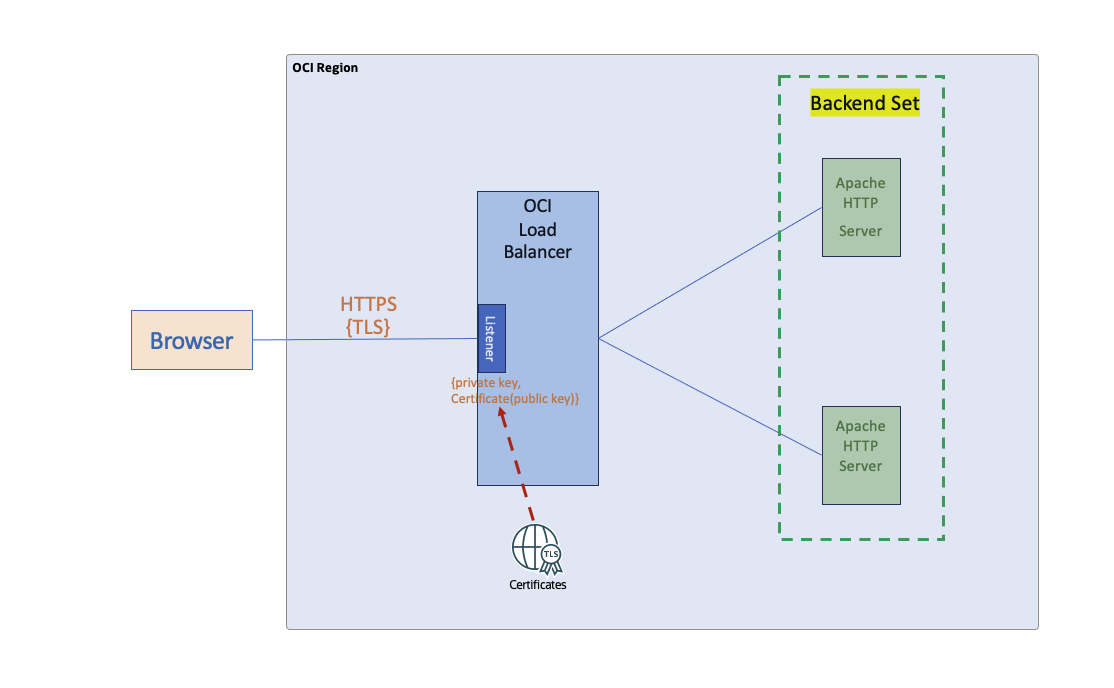
Fig 1
In the classic case (above), only the server has to prove its identity, which it does using PKI. The server does not require the authenticity of the clients for initiating network (TLS) connections. This serves well since the vast majority of the cases – online shopping, browsing, etc. – would like any and all clients to visit the server’s site.
To achieve the classic case, the load balancer listener is configured as follows:
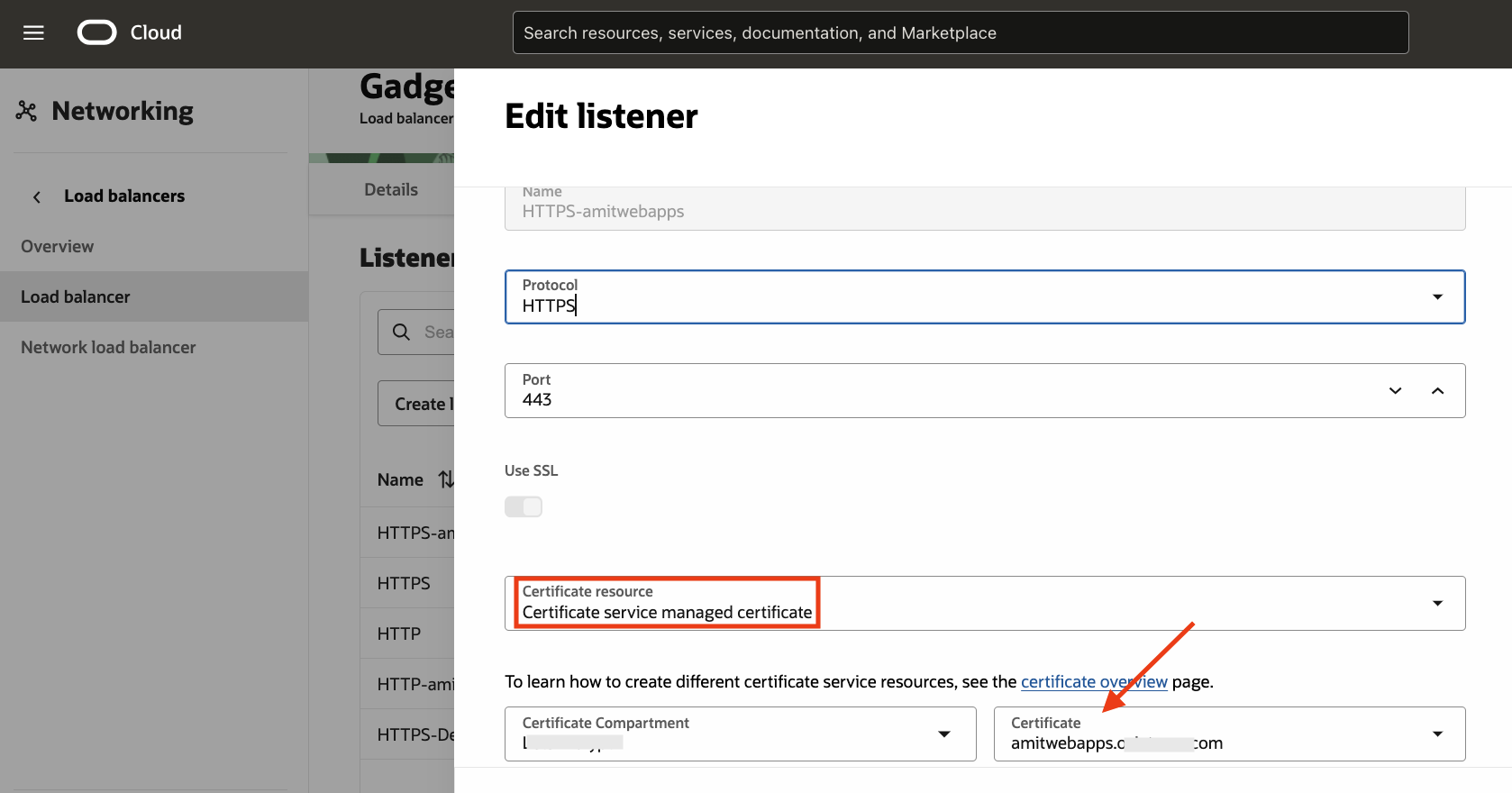
Fig 2
Accessing the website, will result in the following:
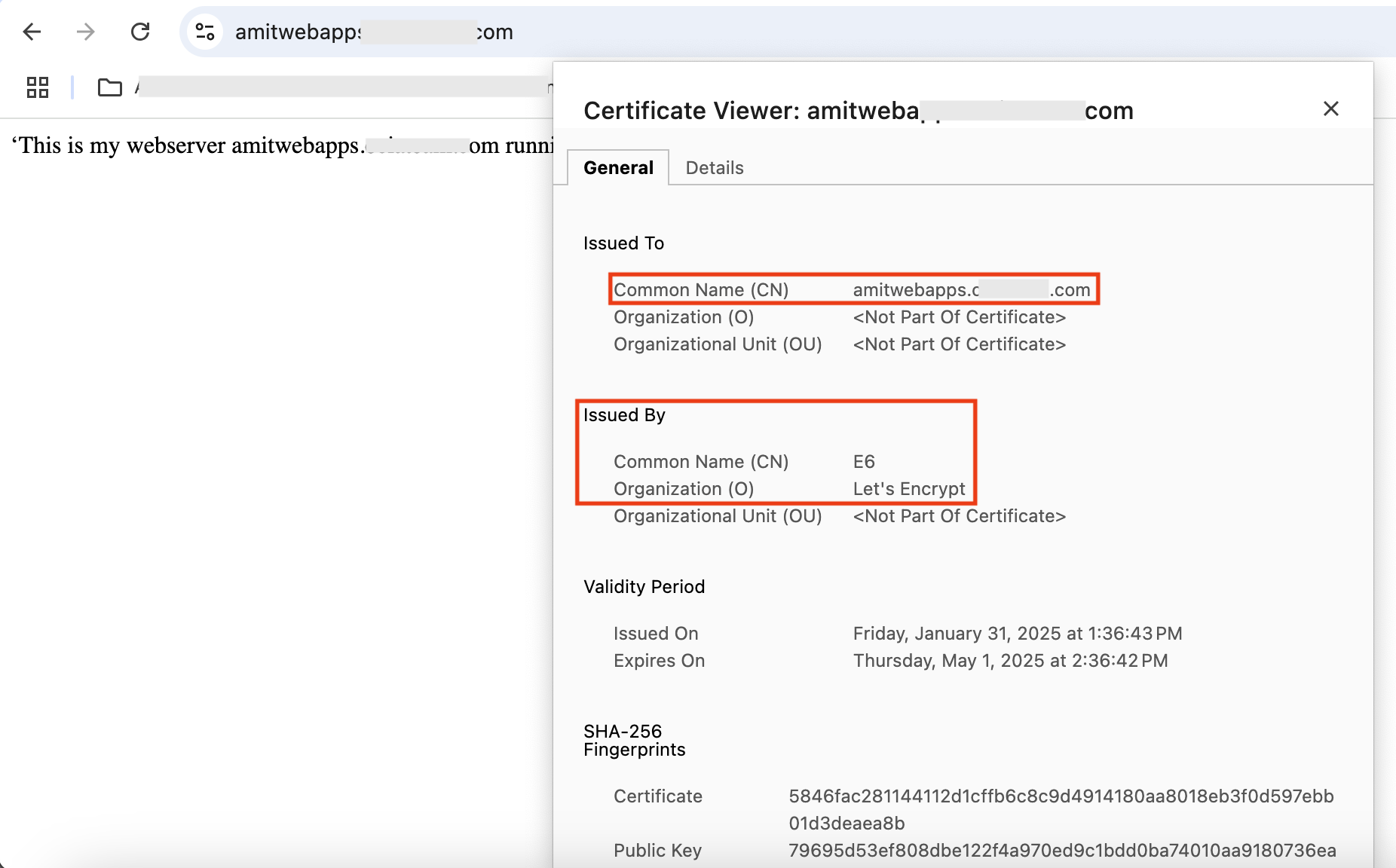
Fig 3
For a detailed explanation on configuring TLS/SSL in the load balancer, refer to my blog post. Note that I am leveraging the OCI Certificates service for managing the server side certificate, which is issued by the public CA Let’s Encrypt. More on this later.
There are however use cases where you would like network access to your web services limited to a set of clients, for example, a business application which only your company partners can access. mTLS suits these use cases perfectly: only clients with appropriate certificates can establish TLS connection with your business applications. Otherwise, you will get an error –
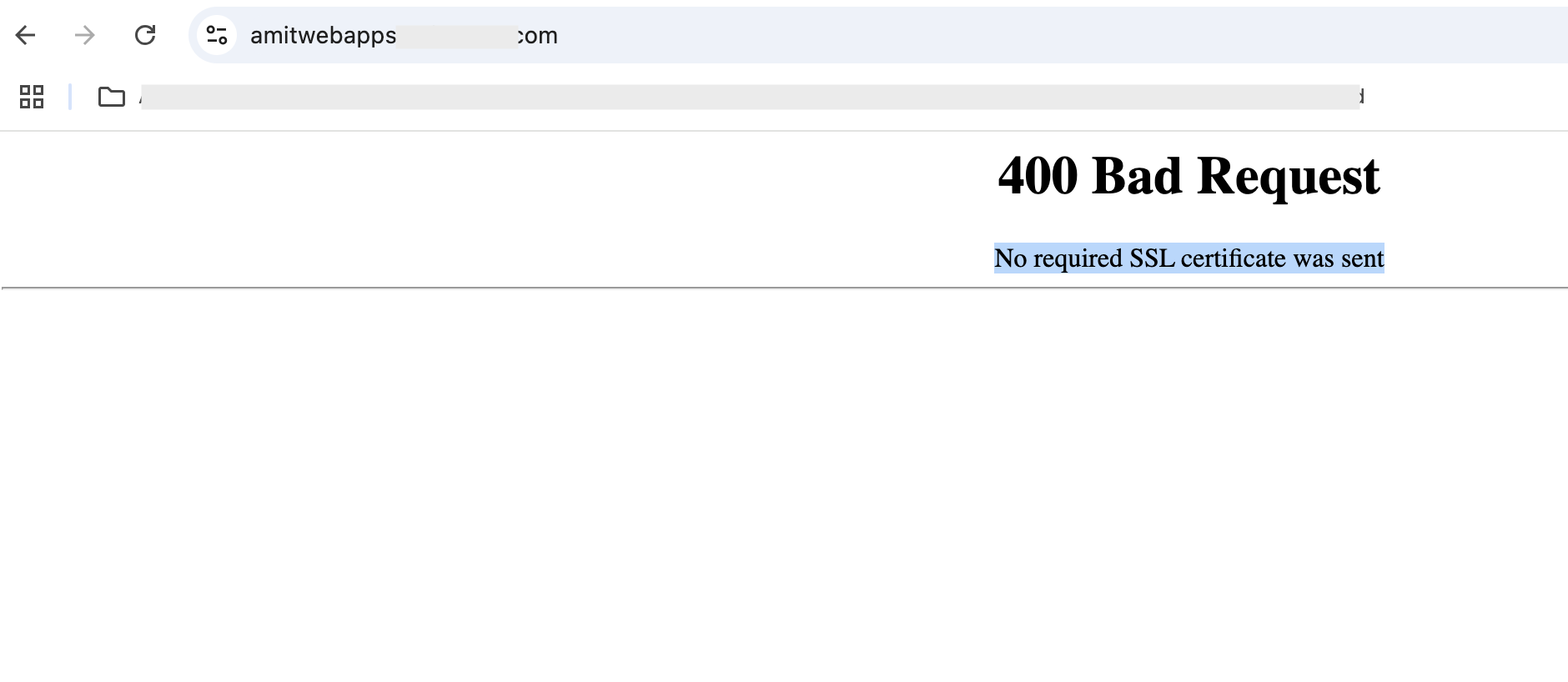
Fig 4
In OCI, the load balancer can be configured for mTLS to support such use cases.
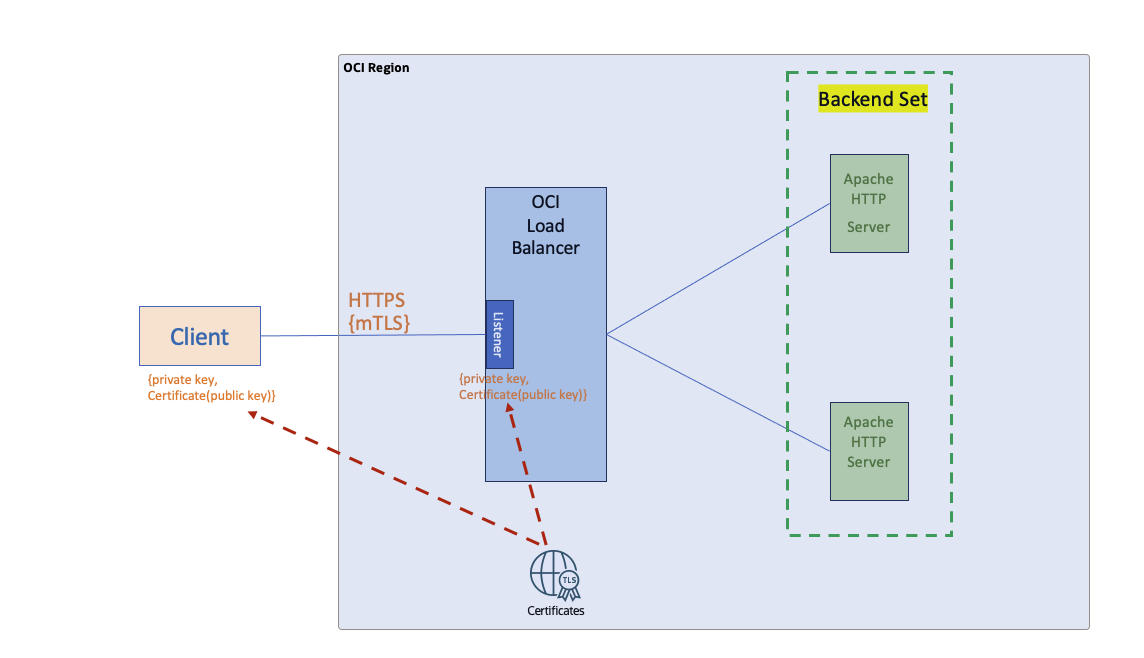
Fig 5
Similar to Fig 1, both the client as well as the server certificates are managed by the OCI Certificates service.
Certificates Service
The Certificates service is a versatile OCI service which serves your needs for certificate management. You can import externally created certificates issued by public root CAs such as Let’s Encrypt (as in Fig 3), as well as create your own private CA hierarchy and issue leaf certificates to be used by both clients and servers. In fact, that’s what I have done for showcasing the mTLS feature in this blog post.
To start with, let’s create a CA hierarchy with root and subordinate CAs:
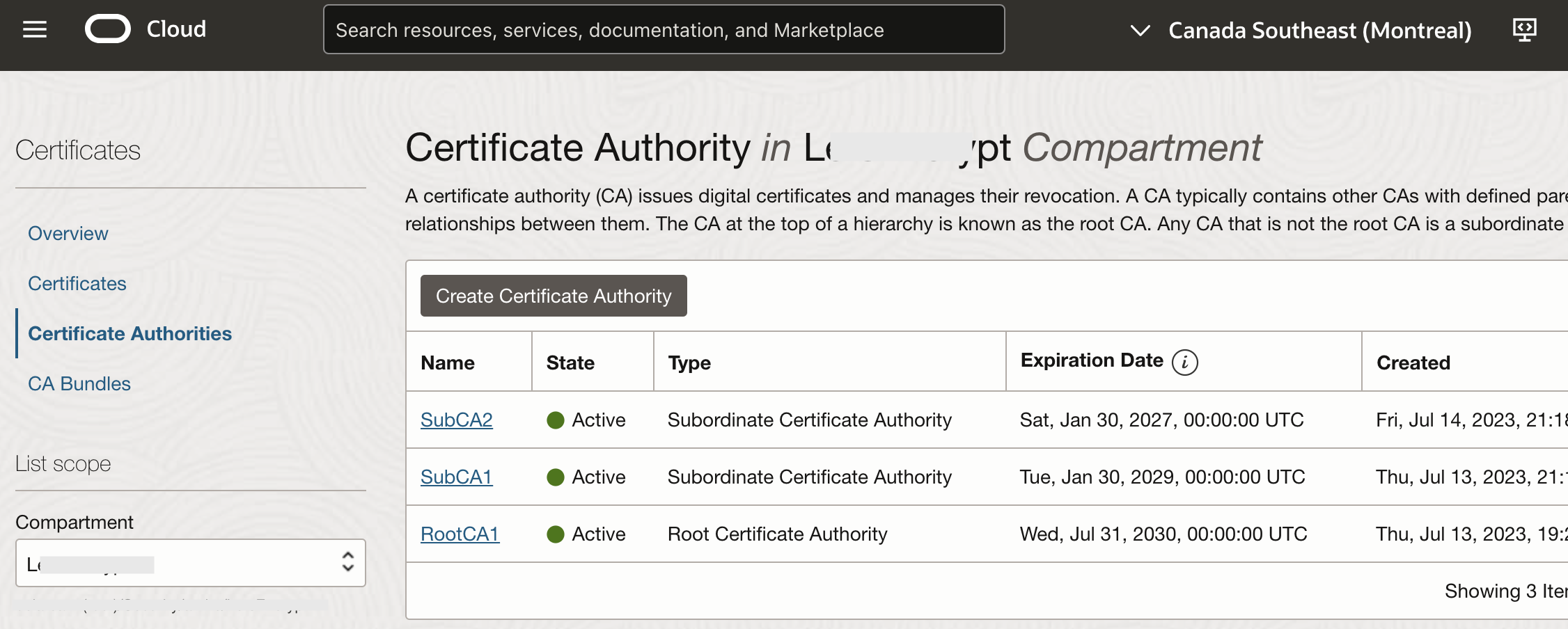
Fig 6
The hierarchy as depicted by openssl is:
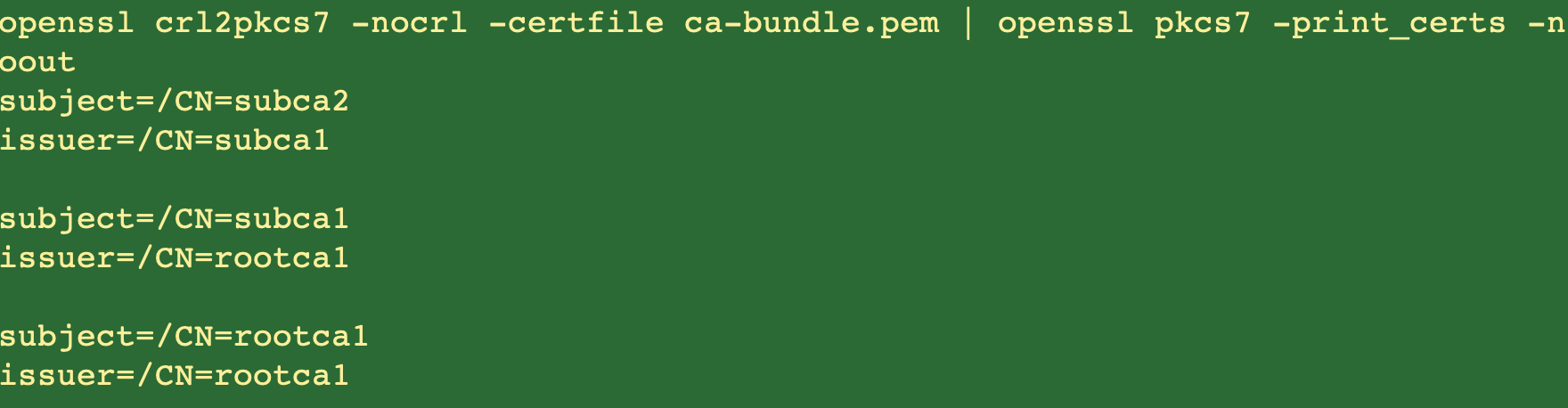
Fig 7
A note about the depth of each CA in the certificate chain. In the above figure, rootca1 has a depth of 1, subca1 has a depth of 2 and subca2 has depth of 3. The depth of the CA will be used in the listener configuration later.
I have also created few certificates for the clients and the server:
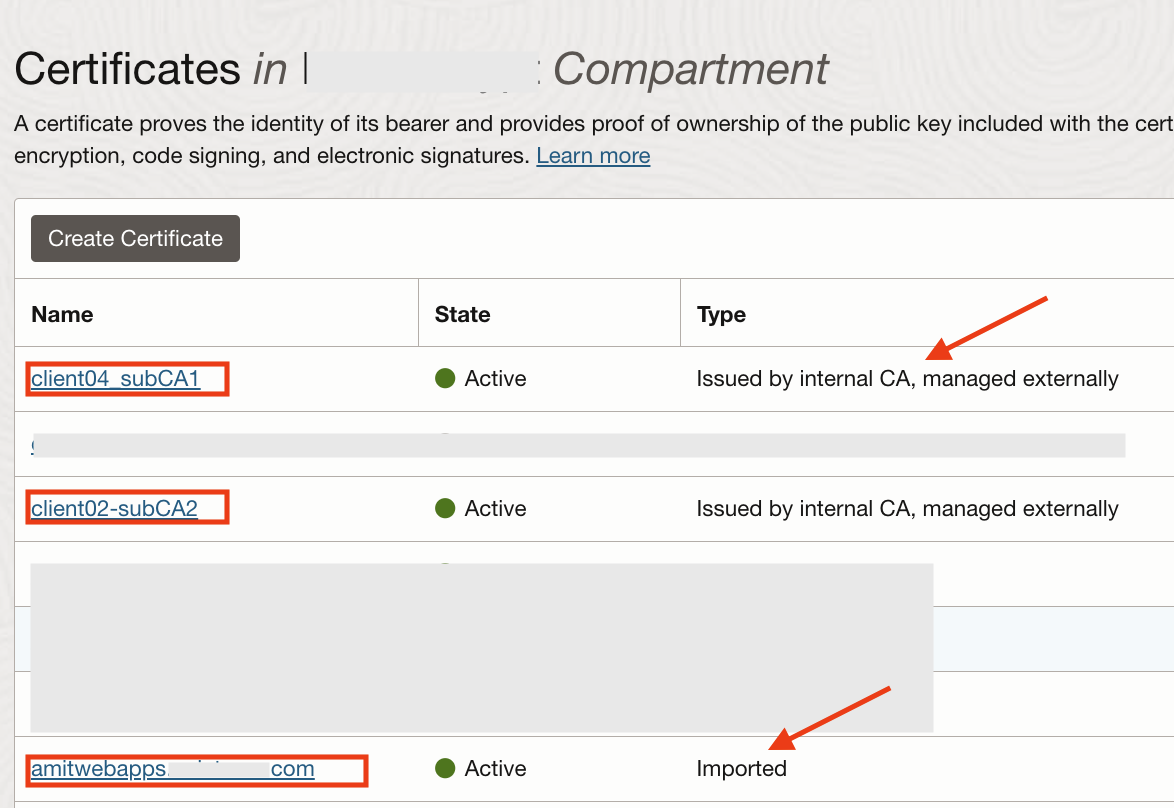
Fig 8
Note that the first certificate has been issued by subCA1 CA, while the second one is issued by the subCA2 CA. The last one “amitwebapps.********.com” is created externally (by Let’s Encrypt – refer to Chris’s blog post) and imported into the Certificates service. In fact this is the certificate which is used in Fig 2 and Fig 3 above. Finally, create two CA bundles (certificate chain of CAs from root to intermediate) which can be used for the mTLS configuration in the load balancer.
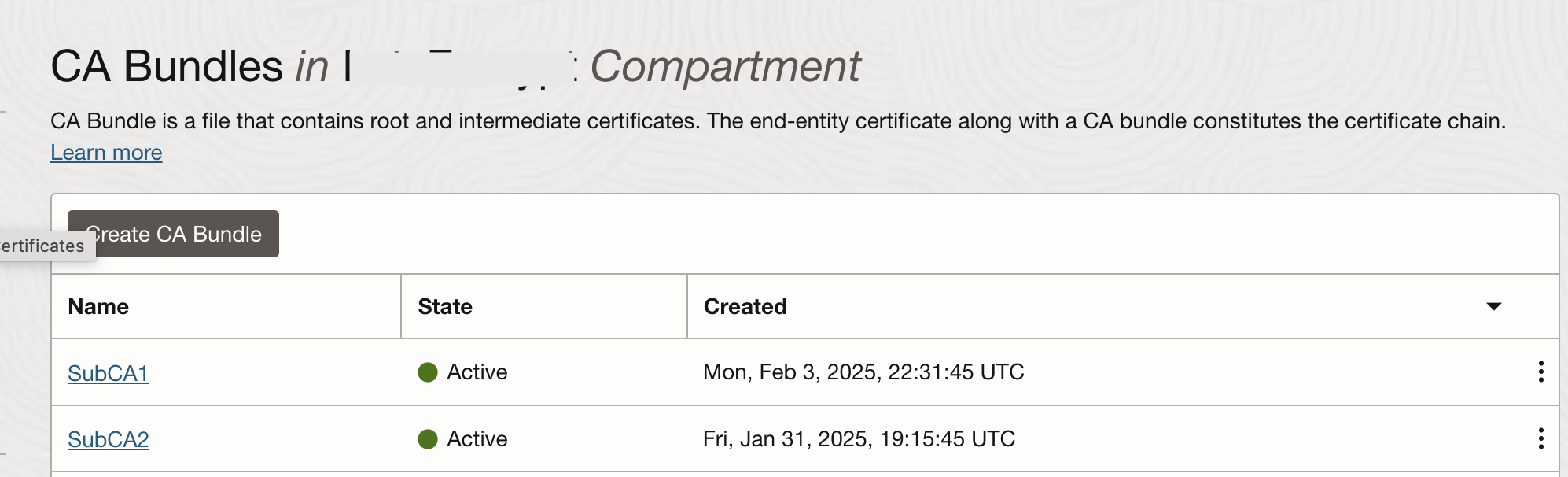
Fig 9
mTLS Configuration in Load Balancer
Once certificates and the CA bundles have been configured, let’s focus on the the load balancer listener configuration.
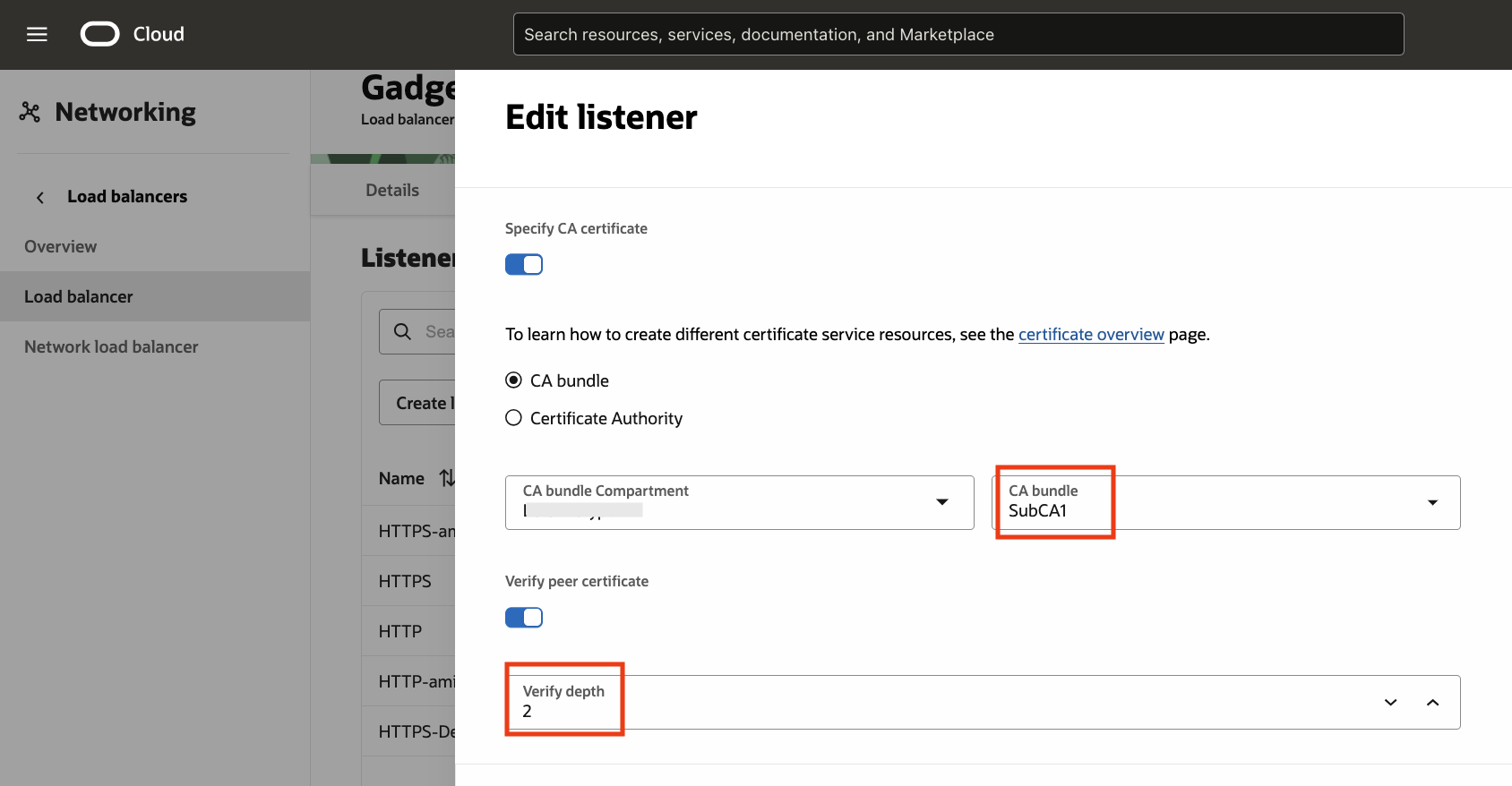
Fig 10
In the above configuration, we are using the CA bundle subCA1, defined in the Certificates (Fig 9). The ‘Verify depth’ is set to 2 (Fig 7). This will let the listener verify that the client certificate (such as client04 in Fig 8) has been issued by any CA belonging to the certificate chain in the bundle subCA1 upto chain length of 2. Indeed, invoking the web application with mTLS using the ‘client04’ certificate will result in the getting the correct response.
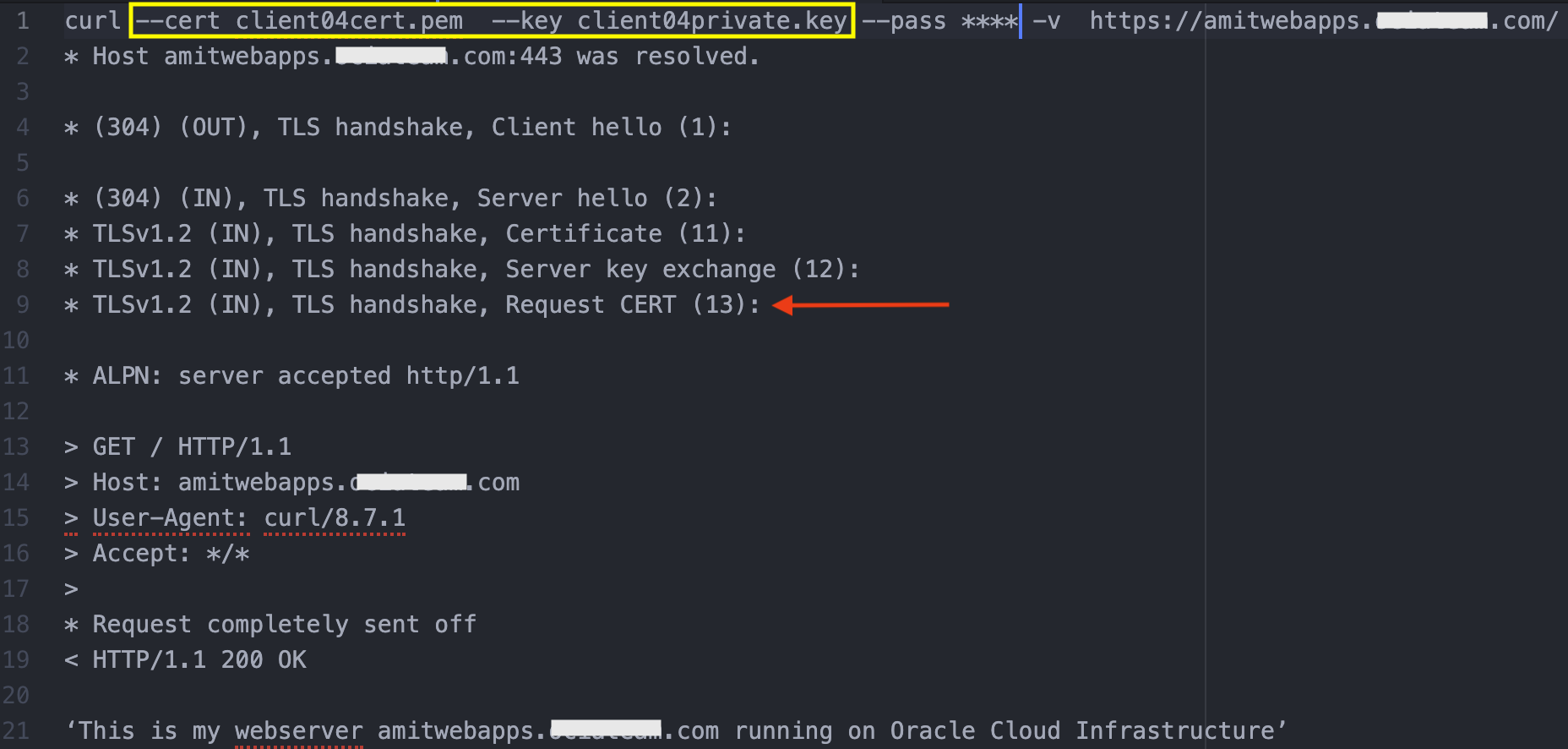
Fig 11
Some more clarification regarding the verification depth in the listener. Since ‘client04’ client certificate is issued by subCA1, it passed the verification test with depth = 2. However, if client02 (Fig 8 above) was used, it would have failed the verification depth. The reason being, ‘client02’ has been issued by subCA2, therefore the depth should be 3 (rootca1 –> subca1 –> subca2; see Fig 7).
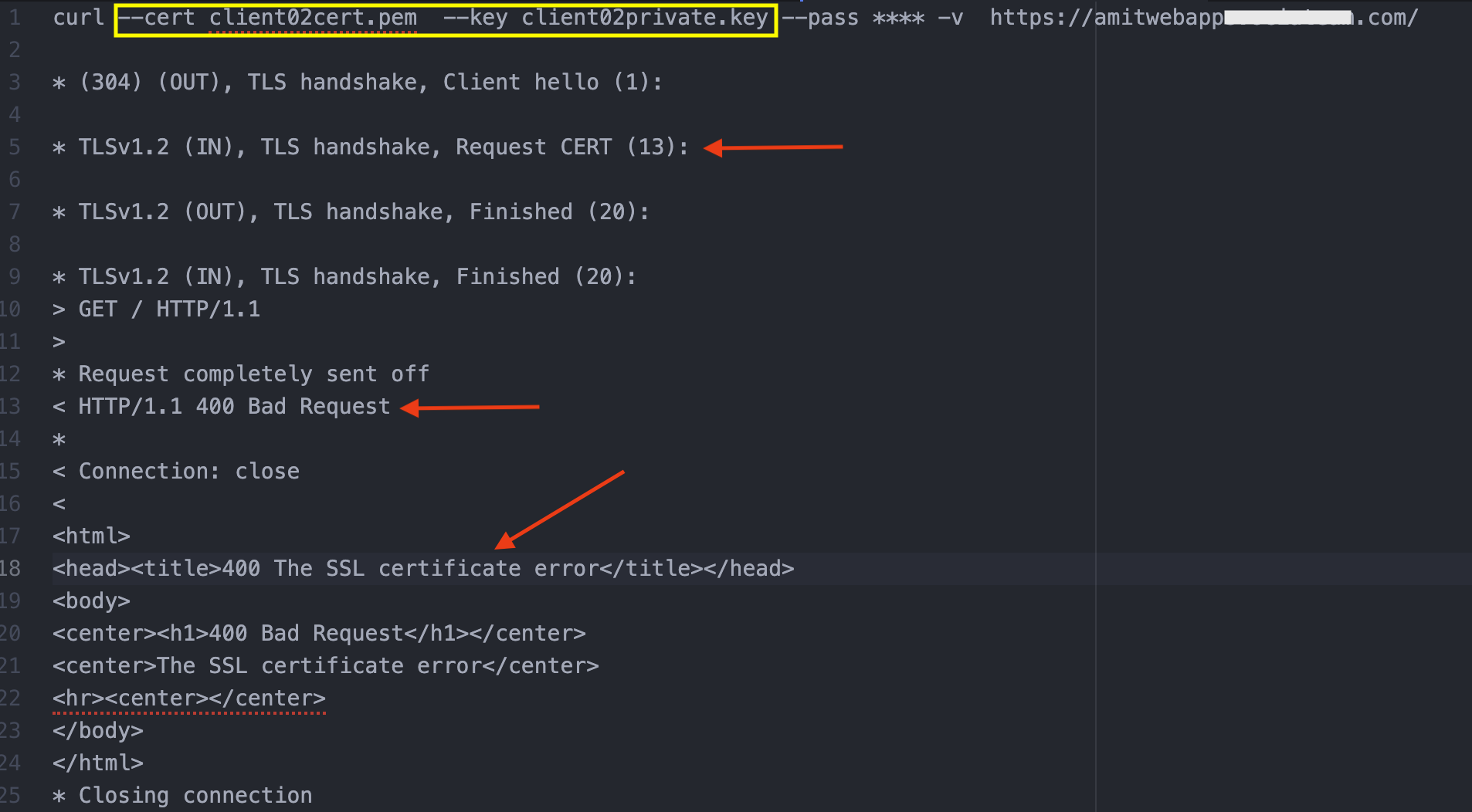
Fig 12
On the other hand, if subCA2 was used as the CA bundle with depth = 3, then both the client certificates would have been successful.